
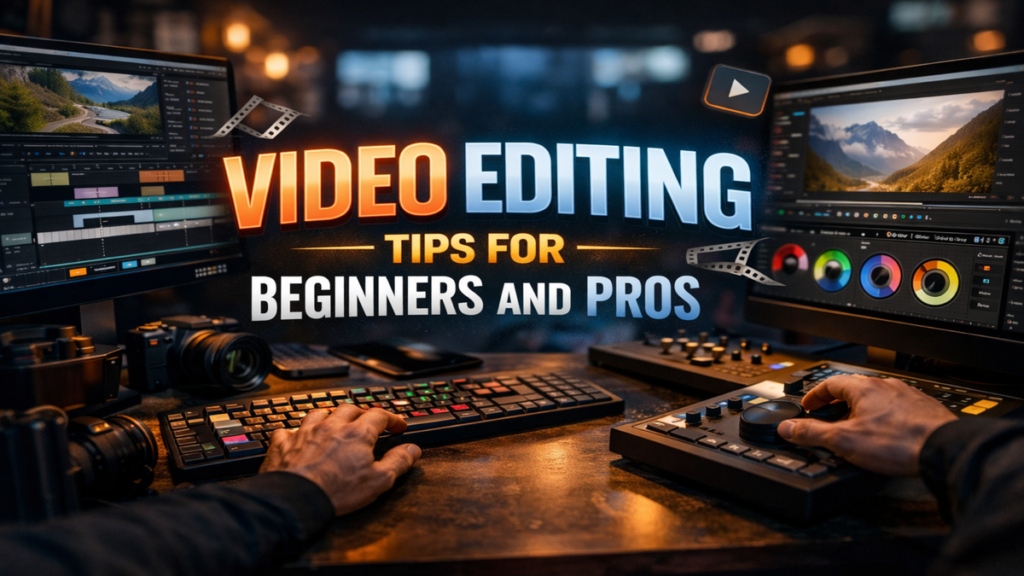

I approach video editing as both a craft and a language, one that shapes how audiences feel, interpret, and remember what they watch. At its most practical level, video editing is about selecting the best footage, arranging it coherently, and enhancing it through sound, color, and pacing. For anyone seeking actionable tips, the essentials are clear: organize your footage, cut with intention, maintain continuity, use sound strategically, and refine pacing to match the story’s emotional arc. These foundational techniques apply whether editing short-form social media clips or long-form documentaries.
But editing is also more than technical execution. It is where raw footage becomes narrative. The difference between an amateur video and a professional production often lies not in the camera, but in the edit. Editors decide what to show, what to omit, and how time itself unfolds on screen.
In today’s digital era, editing tools are more accessible than ever. Software once reserved for professionals is now available to hobbyists, creators, and businesses alike. Yet accessibility has not simplified the craft. Instead, it has raised expectations. Audiences accustomed to cinematic quality demand polished visuals, seamless transitions, and compelling storytelling.
Understanding video editing today means understanding both its technical foundations and its artistic demands. The following sections explore the techniques, tools, and philosophies that define effective editing in a rapidly evolving media landscape.
The Foundations of Effective Video Editing
Video editing begins long before the first cut is made. It starts with organization. Professional editors emphasize the importance of sorting footage, labeling clips, and creating a clear project structure before editing begins. Without this groundwork, even the most powerful software becomes inefficient.
Walter Murch, the legendary editor behind Apocalypse Now, once said, “Editing is not a technical process. It’s a way of thinking” (Murch, 2001). This philosophy underscores the importance of intention in every cut. Each edit should serve a purpose, whether advancing the narrative or enhancing emotional impact.
Continuity is another foundational principle. Maintaining consistent visual and spatial relationships ensures that viewers remain immersed. Jump cuts, mismatched eyelines, or inconsistent lighting can disrupt that immersion unless used deliberately for stylistic effect.
Equally important is pacing. A well-edited video balances rhythm and flow, allowing scenes to breathe while maintaining momentum. Beginners often overcut or undercut, but experienced editors develop an intuitive sense of timing through practice and observation.
Essential Editing Techniques Every Creator Should Master
Mastering core techniques is crucial for anyone serious about video editing. These techniques form the backbone of professional-quality work.
Key Editing Techniques and Their Uses
| Technique | Description | Best Use Case |
|---|---|---|
| Jump Cut | Abrupt transition between clips | Vlogs, fast-paced content |
| Cutaway | Inserted shot related to main action | Interviews, documentaries |
| Match Cut | Seamless transition between similar visuals | Narrative storytelling |
| Crossfade | Gradual transition between clips | Emotional or reflective scenes |
| L-Cut / J-Cut | Audio overlaps between scenes | Dialogue continuity |
These techniques are not merely stylistic choices. They influence how viewers process information. For instance, L-cuts and J-cuts create a sense of continuity that feels natural, while jump cuts can convey urgency or informality.
Film editor Thelma Schoonmaker has emphasized that “rhythm is everything in editing” (Schoonmaker, 2019). Understanding when to cut, and when not to, separates effective editing from mechanical assembly.
Choosing the Right Editing Software
The choice of editing software significantly impacts workflow and output quality. Today’s market offers a range of options catering to different skill levels and budgets.
Popular Video Editing Software Comparison
| Software | Skill Level | Key Features | Industry Use |
|---|---|---|---|
| Adobe Premiere Pro | Intermediate | Timeline editing, integrations | Professional |
| Final Cut Pro | Intermediate | Magnetic timeline, fast rendering | Professional |
| DaVinci Resolve | Advanced | Color grading, audio tools | Film and TV |
| iMovie | Beginner | Simple interface, basic tools | Casual users |
| CapCut | Beginner | Mobile editing, templates | Social media creators |
Adobe Premiere Pro and Final Cut Pro dominate professional environments, while DaVinci Resolve has gained popularity for its advanced color grading capabilities. Meanwhile, mobile apps like CapCut reflect the growing importance of short-form content platforms.
According to Adobe’s 2023 creative trends report, video content consumption continues to rise globally, increasing demand for accessible editing tools (Adobe, 2023).
The Role of Storytelling in Video Editing
Editing is fundamentally about storytelling. Every decision, from shot selection to pacing, contributes to how a story unfolds.
A compelling edit guides the viewer’s attention. It highlights key moments, builds tension, and creates emotional resonance. This requires understanding narrative structure, including setup, conflict, and resolution.
Documentary editor Sheila Curran Bernard writes that “editing is where the story truly takes shape” (Bernard, 2016). Raw footage often contains multiple possible narratives, and the editor’s role is to discover and refine the most effective one.
Storytelling also involves perspective. Editors decide whose viewpoint dominates a scene, shaping audience interpretation. This is particularly महत्वपूर्ण in journalism and documentary filmmaking, where editing choices can influence perceived truth.
Ultimately, strong storytelling transforms technical editing into meaningful communication.
Audio: The Invisible Backbone of Great Editing
While visuals dominate attention, audio often determines quality. Poor sound can undermine even the most visually stunning footage.
Effective editing includes balancing dialogue, music, and ambient sound. Background noise must be minimized, while key audio elements should be clear and consistent.
Sound designer Walter Murch has argued that “half of what we see is actually heard” (Murch, 2001). This insight highlights the importance of audio in shaping perception.
Music selection is equally critical. The right soundtrack can elevate emotion, while the wrong one can distract or confuse. Editors must ensure that music complements rather than overwhelms the visuals.
Transitions in audio, such as fades and crossfades, help maintain continuity. Abrupt changes can disrupt immersion unless used intentionally.
In modern editing, audio is not an afterthought. It is a central component of storytelling.
Color Correction and Visual Consistency
Color correction and grading play a vital role in creating a polished final product. These processes ensure that footage appears consistent and visually appealing.
Color correction involves adjusting exposure, contrast, and white balance to achieve a natural look. Color grading, on the other hand, adds stylistic elements, such as cinematic tones or mood enhancements.
Professional productions often use color to convey emotion. Warm tones may suggest comfort, while cooler tones can create tension or isolation.
DaVinci Resolve has become a leading tool in this المجال due to its advanced color grading capabilities. Its use in major films underscores the importance of color in professional editing.
Consistency is key. Mismatched colors between shots can break immersion, making even high-quality footage appear amateurish.
Editing for Different Platforms
Not all videos are created equal. Editing strategies vary depending on the platform and audience.
Short-form content, such as videos for TikTok or Instagram, requires fast pacing and immediate engagement. Viewers often decide within seconds whether to continue watching.
Long-form content, including documentaries and films, allows for slower pacing and deeper storytelling. Here, editors focus on narrative development and emotional arcs.
YouTube occupies a middle ground, combining elements of both. Successful YouTubers often use dynamic editing techniques, including jump cuts and graphics, to maintain engagement.
Platform-specific requirements also influence technical aspects such as aspect ratio, resolution, and duration.
Understanding these differences is essential for effective editing in a multi-platform world.
Common Mistakes and How to Avoid Them
Even experienced editors make mistakes. Recognizing and avoiding common pitfalls can significantly improve quality.
One frequent error is overusing transitions. While effects can enhance a video, excessive use often distracts from the content.
Another mistake is neglecting pacing. Videos that drag or feel rushed fail to maintain viewer interest.
Inconsistent audio levels are also problematic. Sudden changes in volume can be jarring and reduce professionalism.
Renowned editor Edward Dmytryk outlined a simple rule: “Never make a cut without a positive reason” (Dmytryk, 1984). This principle remains relevant today.
Finally, failing to review and refine edits can lead to overlooked errors. Professional editors often revisit projects multiple times to ensure quality.
The Future of Video Editing
The future of video editing is being shaped by technology, particularly artificial intelligence. AI-powered tools can automate tasks such as scene detection, color correction, and even rough cuts.
While these advancements increase efficiency, they also raise questions about creativity. Can automation replicate the intuition of a human editor?
Industry experts suggest that AI will complement rather than replace human editors. Creativity, storytelling, and emotional understanding remain uniquely human skills.
The rise of virtual reality and immersive media also presents new challenges and opportunities. Editing in these formats requires rethinking traditional techniques.
As technology evolves, so too will the art of editing. The fundamentals, however, will remain unchanged.
Takeaways
- Organizing footage is the foundation of efficient editing
- Every cut should serve a clear narrative or emotional purpose
- Audio quality is as important as visual clarity
- Choosing the right software depends on skill level and project needs
- Storytelling is the core of effective editing
- Platform-specific strategies enhance audience engagement
- Continuous learning is essential in a rapidly evolving field
Conclusion
I find that video editing sits at the crossroads of technology and storytelling, demanding both precision and imagination. It is a discipline that rewards patience, observation, and a willingness to refine endlessly. The tools may evolve, becoming faster and more powerful, but the essence of editing remains rooted in human judgment.
What makes editing compelling is its invisibility. When done well, it disappears, allowing the story to take center stage. Viewers do not notice the cuts, the color adjustments, or the audio balancing. They simply feel the narrative.
As digital content continues to dominate communication, the importance of editing will only grow. Whether crafting a short social media clip or a feature-length film, the principles remain consistent. Clarity, rhythm, and intention define success.
In the end, editing is not just about assembling footage. It is about shaping experience, guiding emotion, and turning fragments into something meaningful.
Read: Uber Eats Promo Codes March 2026: All Active Deals, How to Apply and Hidden Tips
FAQs
What is the most important video editing tip for beginners?
Start with organization. Properly labeling and sorting footage saves time and improves workflow, making the editing process more efficient and less overwhelming.
Which software is best for beginners?
iMovie and CapCut are excellent starting points due to their user-friendly interfaces and basic editing tools.
How can I improve video pacing?
Practice timing your cuts to match the content’s rhythm. Watch professional edits and analyze how scenes flow.
Why is audio important in video editing?
Audio enhances immersion and clarity. Poor sound quality can negatively impact even high-quality visuals.
Can AI replace video editors?
AI can automate tasks but cannot replicate human creativity, storytelling, and emotional intuition.
References
Adobe. (2023). Creative trends report. https://www.adobe.com
Bernard, S. C. (2016). Documentary storytelling: Creative nonfiction on screen (4th ed.). Routledge.
Dmytryk, E. (1984). On film editing: An introduction to the art of film construction. Focal Press.
Murch, W. (2001). In the blink of an eye: A perspective on film editing. Silman-James Press.
Schoonmaker, T. (2019). The art of editing. British Film Institute.